This guide outlines the essential equipment required to perform diagnostics and programming on Jaguar / Land rover vehicles using the SDD, the short lived Pathfinder and Topix Cloud applications. It also highlights recommended additional tools, registration and running costs, ease of use, update frequency, and the level of access available to independent repairers through the Jaguar / Land Rover Topix portal.
Summary
Covered Brands
- Jaguar
- Land Rover
- Range Rover
Functionality
Vehicle Age Coverage
T4 H Covers
- Range Rover Classic
- Range Rover P38
- Freelander
- Discovery Series I & II
- Range Rover (L322)
- Jaguar X-Type (X400)
- Jaguar S-Type (X200, X202)
- Jaguar XJ (X350)
- Jaguar XK8 / XKR (X100) – 1997–2006
- Jaguar XJ8 (X308) – 1997–2001
- Jaguar XJ (X300) – 1994–1997
- Jaguar XJS – 1994–1996
SDD Covers
- Land Rover Defender – 2007–2018
- Discovery 3 (LR3) & Discovery 4 (LR4) (L319)
- Range Rover Sport (L320)
- Range Rover (L322)
- Range Rover Sport (L494)
- Range Rover (L405)
- Freelander 2 / LR2 (L359)
- Discovery Sport (L550)
- Range Rover Evoque (L538)
- Jaguar XJ (X351)
- Jaguar XK (X150)
- Jaguar XF (X250 / X260)
- Jaguar XE (X760) – 2015–2018
- Jaguar F-Type (X152) – 2013–2018
- Jaguar F-Pace (X761) – 2016–2018
TOPIx Cloud Covers
- Discovery 5 (L462) – 2017–Present
- Range Rover (L405 / L460) – 2017–Present
- Range Rover Sport (L494 / L461) – 2017–Present
- Defender (L663) – 2018–Present
- Discovery Sport (L550) – 2018–Present
- Range Rover Evoque (L538 / L551) – 2018–Present
- Range Rover Velar (L560) – 2018–Present
- Jaguar XE (X760) – 2018–Present
- Jaguar XF (X260) – 2018–Present
- Jaguar E-Pace (X540) – 2018–Present
- Jaguar F-Pace (X761) – 2018–Present
- Jaguar F-Type (X152) – 2018–Present
- Jaguar I-Pace (X590) – 2018–Present
Recommended Computer
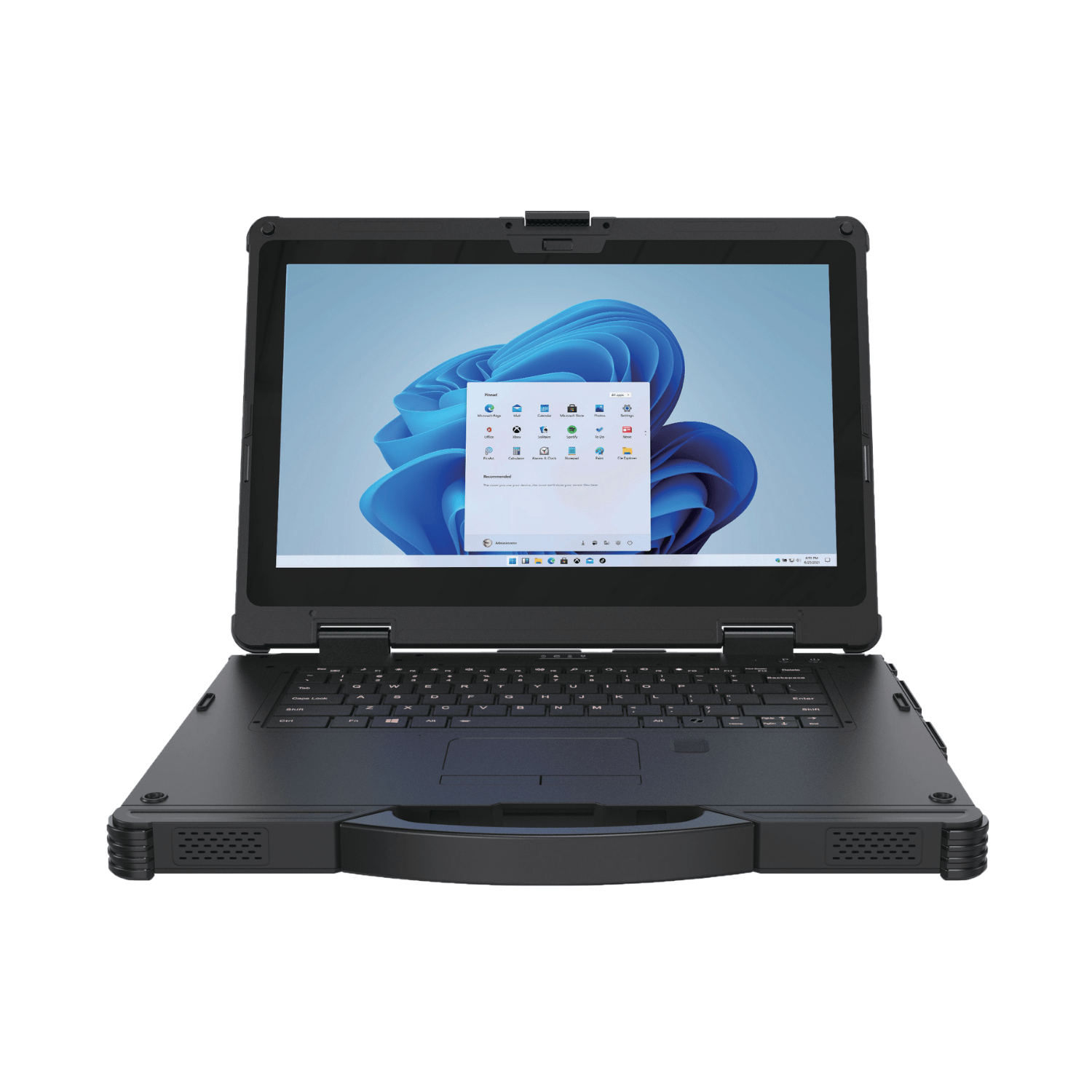
The manufacturer recommends the Panasonic FZ-55 Laptop. Please use a laptop that meets these minimum specifications:
SDD Requirements
- Operating System: Windows 10 or Windows 11 (64-bit)
- Processor: Intel Core i5 (2.5 GHz or higher) or equivalent
- Memory (RAM): Minimum 4 GB (8 GB+ recommended for optimal performance)
- Storage: 320 GB+ HDD (7200 RPM) or SSD
- Browser: Internet Explorer 8–11 or Google Chrome
TOPIx Cloud Requirements
- Operating System: Windows 10/11 Pro (64-bit)
- Processor: Intel Core i5 or higher (or equivalent AMD)
- Memory (RAM): Minimum 8 GB (16 GB recommended for smooth operation)
- Storage: SSD with at least 100 GB of free space
- Browser: Google Chrome (recommended)
- Internet: Stable, high-speed internet connection required
Geographical Usage
Before purchasing, consider where the tools will be used. Some regions may require additional permissions or local approvals:
Registration Requirements
To use JLR tools fully, especially for security-related functions such as programming keys or modules, you’ll need to meet certain registration and compliance criteria. These vary slightly depending on your location, but the following are commonly required:
Additional Resources: SERMI and NASTF (for the US and AUS regions).
Below is a list of countries that have obtained SERMI approval:
| Country | Implementation Date |
| Sweden | October 2023 |
| UK | April 2026 |
| Denmark | February 2024 |
| Finland | February 2024 |
| Norway | February 2024 |
| Austria | April 2024 |
| Belgium | April 2024 |
| Germany | April 2024 |
| Luxembourg | April 2024 |
| Netherlands | April 2024 |
| Portugal | April 2024 |
| Spain | April 2024 |
| France | November 2024 |
| Italy | February 2025 |
| Poland | April 2025 |
Note: If you’re operating in or serving customers in any of these countries, SERMI approval may be mandatory to access certain OEM diagnostic functions.
Cost and Support
Cost Per Hour
Available upon request. Please refer to the latest 2026 pricing here (UK only):
https://topix.jaguar.jlrext.com/topix/content/document/view?id=1804574
Ease of Use (Out of 10)
- SDD: 5/10 – Requires training to fully utilise
- TOPIx Cloud: 8/10 – More intuitive and user-friendly
Training Requirements
Training is strongly recommended to maximise diagnostic, repair, and testing capabilities
Training Options
2-day classroom/workshop-based JLR training programme available
Updates and Technical Support
SDD:
SDD is no longer updated frequently, as it primarily supports vehicles up to 2018. Expect approximately 2–3 updates per year.
Update installation time is typically 1–1.5 hours.
It is essential to keep SDD on the latest version, as older versions are commonly pirated and may cause reliability or security issues.
TOPIx Cloud:
TOPIx Cloud is updated regularly; however, as a cloud-based platform, most updates occur in the background with minimal user disruption. Major visible updates are infrequent (approximately one every 1–2 months).
Firmware updates for diagnostic devices may occur more frequently to enhance security and prevent the use of unauthorised or pirated equipment.
Additional Notes:
DTS (Dealer Tool Support) is available.
Technical Support Options
- Dealer Tool Support Subscription – £99/month
Includes update assistance, remote guidance, and system checks - VTS (Vehicle Technical Support) Contract – £125/month
Designed for ALLMAKES workshops needing real-time diagnostic support and repair advice - Combined Support Bundle – £205/month
Get both subscriptions at a reduced rate for complete coverage
Additional Products
Recommended Essentials
If you are a JLR specialist workshop or aiming to deliver a dealer-level diagnostic experience, the following are recommended:
- IDU2 – Increasingly essential due to software changes. Many component tests (e.g. turbocharger and timing chain diagnostics) are now performed via the IDU2.
- PicoScope & Pico NVH Kit – Widely used across dealer networks for diagnosing complex faults, intermittent issues, and noise/vibration concerns.
Footnote
Maverick bundles now include the latest Bosch VCI, as it supports both SDD and TOPIx Cloud following recent developments.
Handheld service tools can be beneficial for high-volume workshops or those focused on servicing and fast-fit work. These tools are commonly used within the dealer network for servicing tasks and can now perform ADAS calibrations.
It is important to note:
- Dealer handheld tools are limited to servicing functions only
- Aftermarket version also include DTC read and clear plus additional functions with a WiFi connection and an annual subscription.